Spacecraft Programming Simulator
A downloadable game
Overview:
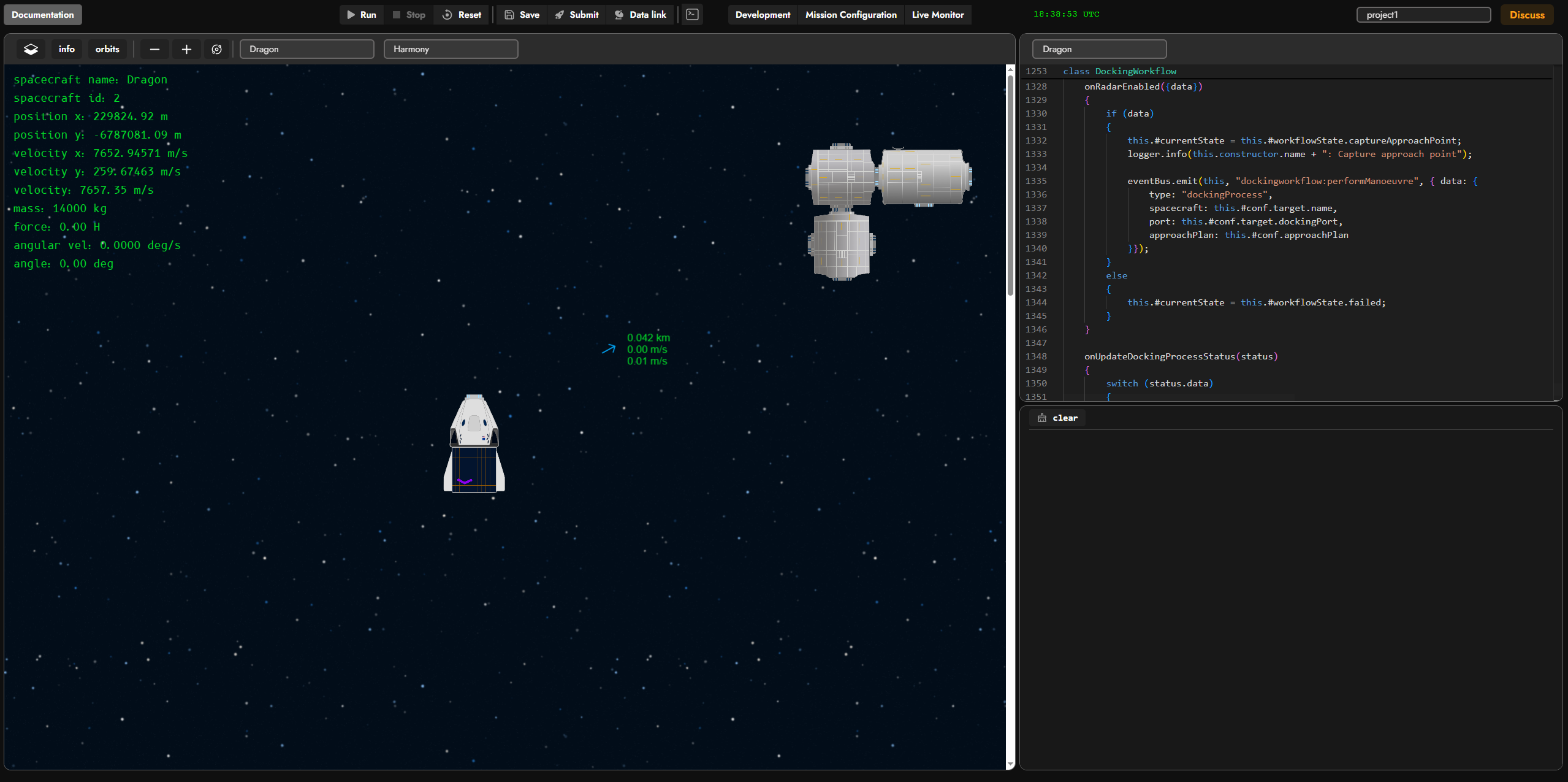
The player is given the ability to write and test code in a special testing environment, which can be reset and rerun as many times as needed (resetting spacecraft position and speed back to their initial values).
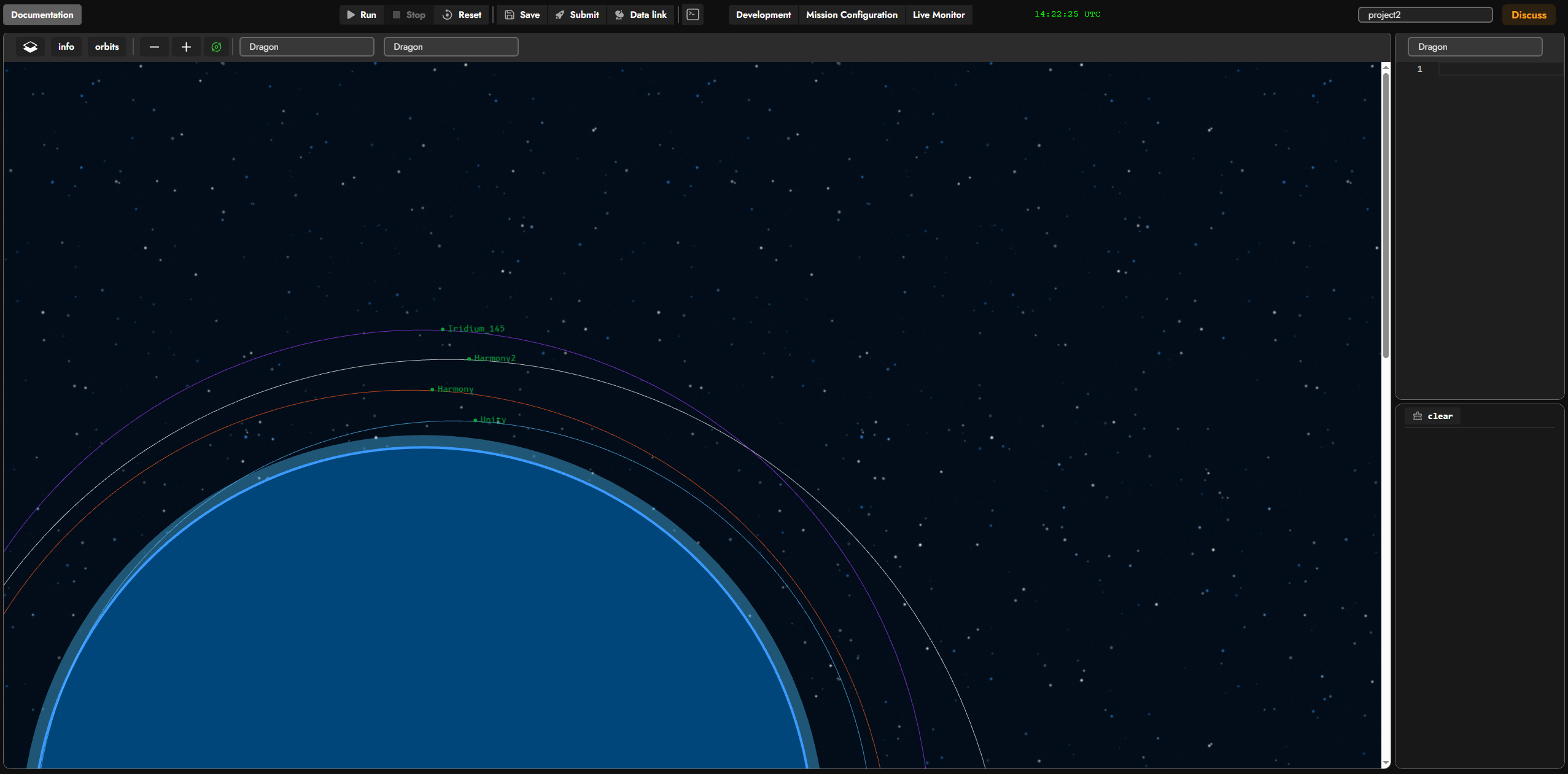
 Map view mode showing spacecraft orbits and their names:
Spacecraft systems:
Each spacecraft has a set of systems that form an address tree, which the player can interact with through the provided methods. This can be thought of as an abstraction layer for interacting with the spacecraft's "hardware." Players can build their own layers of abstraction on top of it, wrapping these commands in their own functionality.
Systems monitoring:
Players get a convenient tool for monitoring all the key spacecraft systems, so there's no need to manually request data or dig through it in the output console.
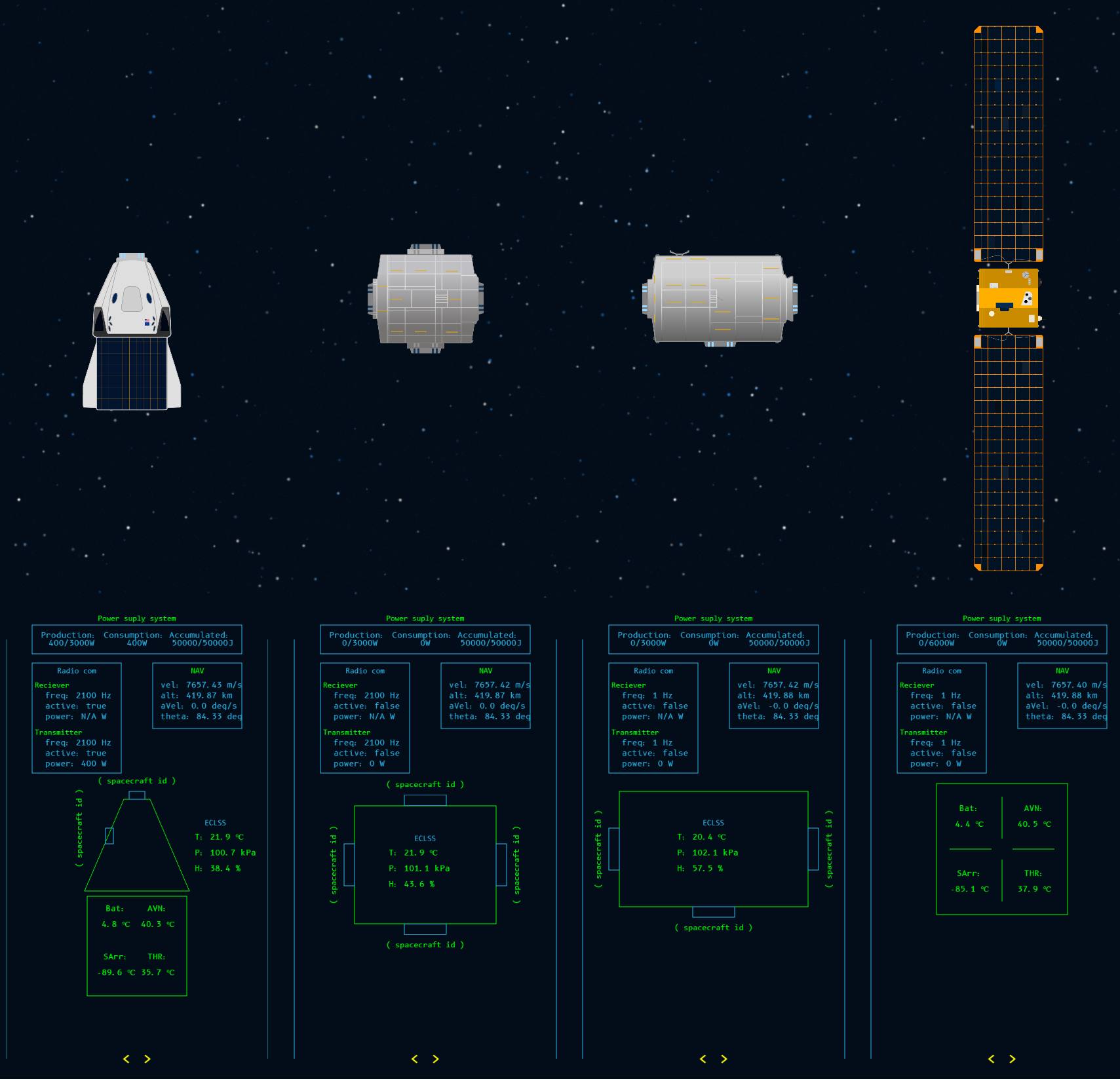
A single monitor template is used for spacecraft of the same type. A monitor can have multiple pages (ideally one page per system) — so far I've only made a separate page for the radar (more on that shortly). In the future, I'm planning to let players create custom monitors with whatever parameters they want, or even with buttons tied to specific commands defined in their code.
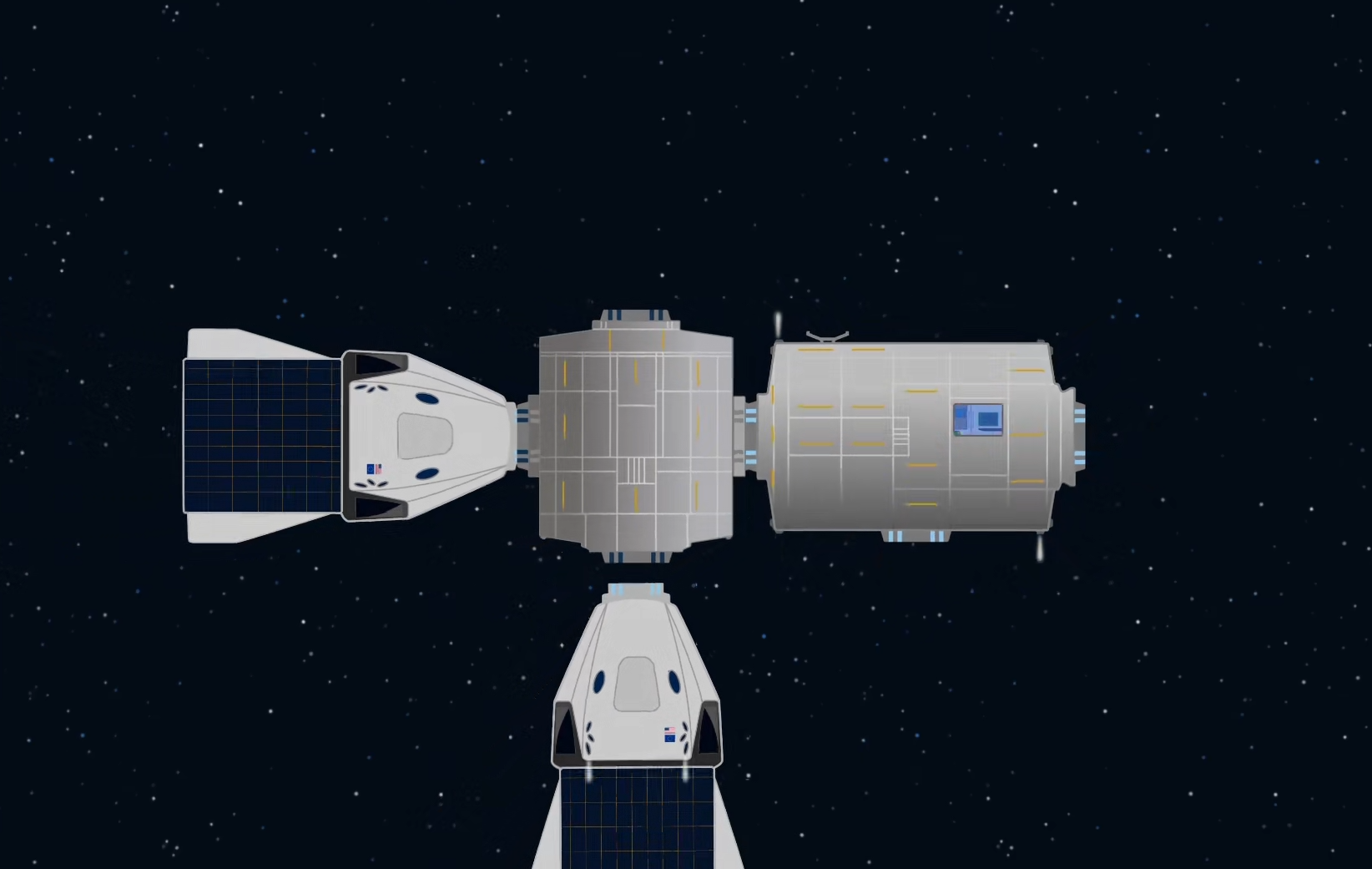
Here you can see the docking process with the space station. The software has a predefined route for the Dragon to follow. The coordinate system is anchored to the docking port that the spacecraft needs to dock with.
Since all the maneuvers are performed very slowly, the videos will be sped up.
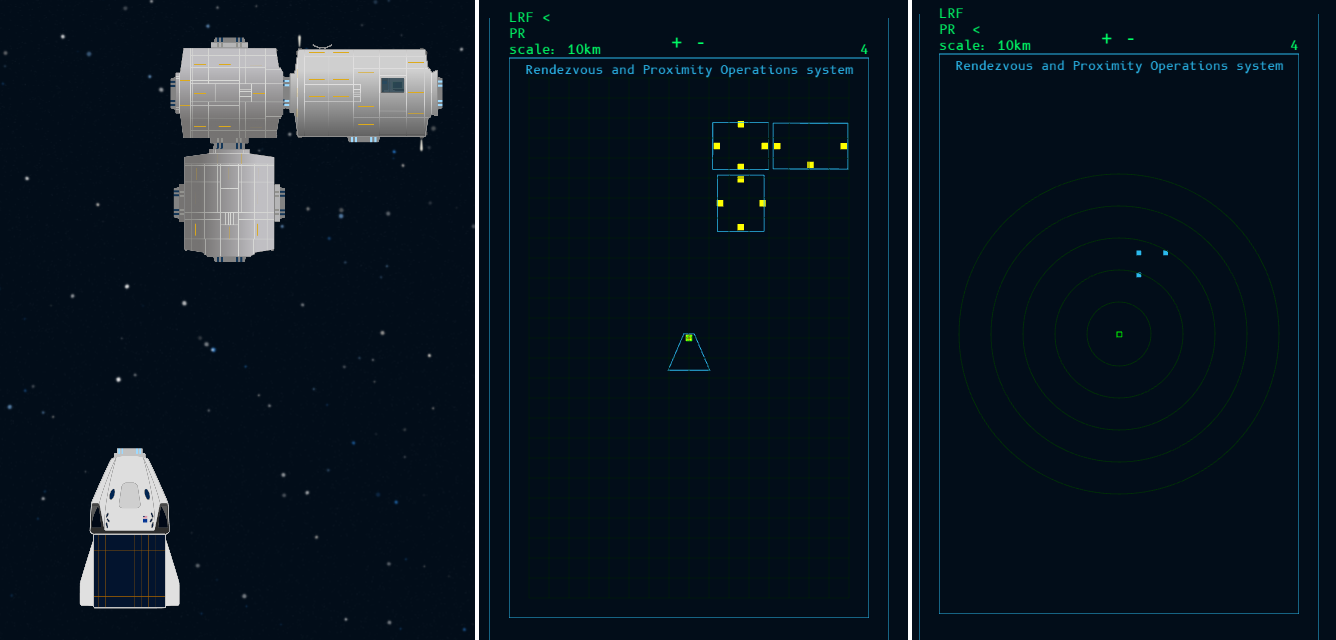
On each iteration, the docking algorithm queries data from the LaserRangeFinder system, which provides the current position of all spacecraft and their docking ports that are located nearby. The data request looks like this:
const data = System.RPO.LaserRangeFinder.scan();
and the method returns a JSON structure specifying the distance along two axes to the docking ports of all nearby spacecraft. This way, Dragon continuously monitors its surroundings and knows the distance to any nearby spacecraft.
LRF (LaserRangeFinder) — used for precisely determining the size of and distance to a spacecraft. It provides information about all spacecraft within a 150-meter radius. Docking ports are marked with yellow dots.
PR (ProximityRadar) — a radar for long-range object detection (1–50 km).
Another interesting example is the robotic arm, which can move modules around and thereby change the station's configuration. This arm is controlled by a separate system, System.Canadarm. Players can control each joint individually, setting its rotation direction — clockwise or counterclockwise. There's no getting around inverse kinematics here :) At the same time, the Harmony module uses its RCS thrusters to keep the whole station level, since moving a module creates torque that needs to be compensated for.
Data link:
This is essentially a ground radio station — a tool that lets you send radio commands to spacecraft (a satellite, in this example), receive responses, and generally listen in on any frequency. Players can also program this radio station, for instance to periodically contact spacecraft, send useful data, and receive information back, such as telemetry. There's also an option to send commands manually through the uplink window, though those commands need to be predefined in the code. Signals received from spacecraft are also accessible in the code itself and, for clarity, are mirrored in the downlink window in both hexadecimal and ASCII formats.
In this scenario, I'm calling a command that sends a signal (a sequence of Uint8 bytes). I'm passing the satellite's id — 10 — as a parameter. This parameter is sent as a separate byte in the radio signal so the satellite knows the message is meant for it:
System.RadioCommunication.Transmitter.sendMessage(msg);
The satellite receives the signal, parses the bytes, and figures out what's being asked of it — in this case, requesting the temperature of its onboard systems:
const data = await System.TCS.info(); // TCS: Temperature Control System
The method returns an object, which is used to build a response following a set format, and that response is sent back. The ground radio station (groundComSystem) receives the reply and displays the information in the output console.
#onNewSignalReceived(msg) { // Handle incoming signal }
Icons appear next to the satellite whenever it's sending or receiving a radio signal.
Radio communication is also possible between two spacecraft. The transmitter-receiver can be tuned to different frequencies, allowing simultaneous communication with multiple spacecraft over separate channels.
Command console:
If a spacecraft is crewed, players can control it through a command line, as if an astronaut on board were entering commands directly. The commands available in the console have to be predefined in the spacecraft's software, meaning players can create their own commands for their specific needs, situations, and scenarios.
In this case, lighting is controlled via the command line: (I'm not much of an artist, so I wasn't able to create realistic or nice-looking lighting for the module.)
I hope I managed to get across the core idea of this project. This version is really just meant to demonstrate the concept as a whole — it's essentially a sandbox with no missions, levels, objectives, or anything like that yet. I'd be genuinely curious to know whether this is something people would actually be interested in "playing," so I'd love to hear your thoughts and feedback on the project in the comments. I'd also be curious what kind of content you'd want to see in a game like this — near-future/current-day technology, or something further out with lasers, force shields, and drones — as well as any ideas for a story or setting. Beyond classic text-based coding, it might also be worth adding block-based programming, similar to Scratch. This kind of program could be really useful for universities and colleges that teach aerospace engineering basics.
Leave a comment
Log in with itch.io to leave a comment.